What’s New in PeriScan: Smarter, Faster, Better Networking
Explore the latest PeriScan features and improvements designed to make scanning, saving, and managing business contacts faster and easier.
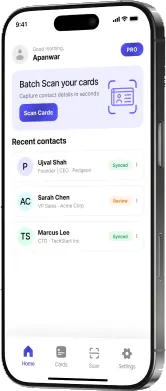
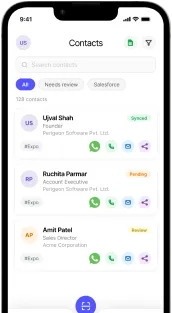
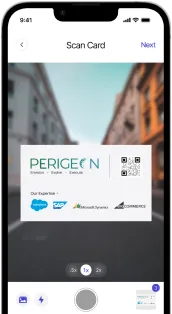
PeriScan started with a simple promise: point your phone at a business card and get a clean, usable contact. Since then, the app has grown into a complete capture-to-CRM workflow. Here’s a tour of what’s in PeriScan today and how each piece fits together.
Batch scanning for busy days
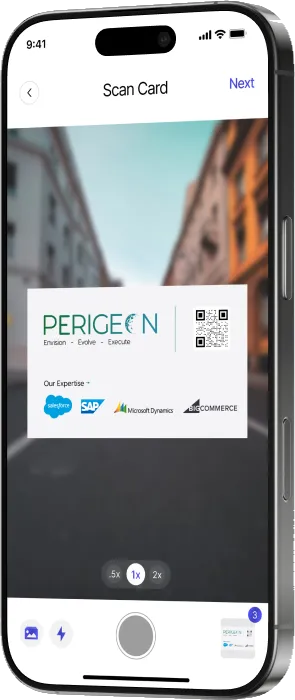
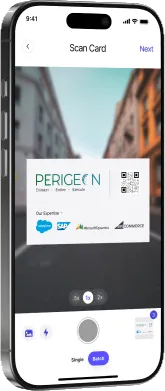
Single-card mode is perfect after a one-on-one meeting. But at a conference you might collect dozens of cards in an afternoon. Switch to Batch mode and keep shooting — PeriScan queues every card, extracts the details from each one, and shows you a running count. When you’re done, review them one by one and save them all together.
A review step before anything is saved
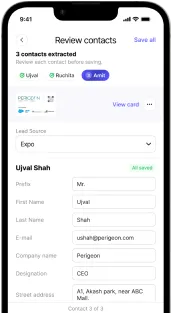
AI-powered OCR is fast, but business cards come in every layout imaginable. That’s why every scan lands on a Review contacts screen first. Names, titles, companies, emails, phone numbers and addresses are pre-filled; you can fix a field, retake the photo, or save it as-is.
Lead sources and tags
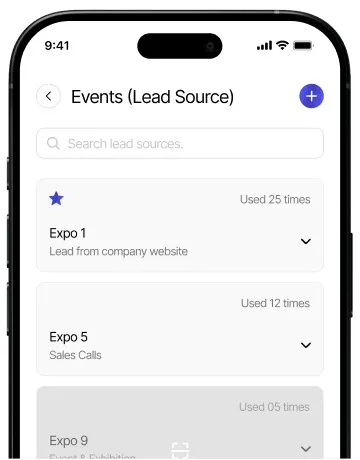
Every contact can be tagged with the event, exhibition or meeting where you met. Lead sources are reusable, so “Expo” or “Partner summit” is one tap away, and PeriScan shows how often each source is used. Add tags and notes to remember why the conversation mattered.
Export to Excel
Need your contacts in a spreadsheet for a campaign or a hand-off? Export your contact list to Excel straight from the app.
PeriScan for Salesforce
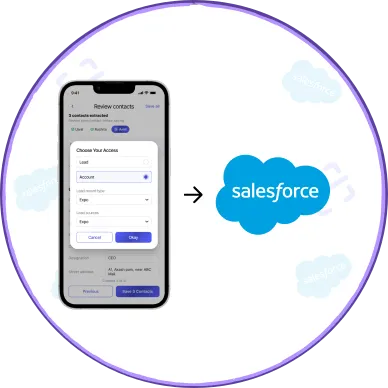
For teams on Salesforce, PeriScan is also available on AppExchange. Users sign in with Salesforce and push scanned cards directly into the org as Leads, Accounts or Contacts. Admins get a dedicated console to manage:
- Licenses — assign seats to users and pair their mobile devices
- Object configuration — choose which objects and record types each user can create
- Field mapping — decide which standard or custom field each piece of card data fills
- Duplicate management — define matching rules so a card already in your CRM never creates a second record
Explore PeriScan on Salesforce to see the admin tools in detail.
Try it
PeriScan is free to download on iOS and Android, and the Free plan includes 20 lifetime scans so you can try it at your next meeting. See pricing for the Pro and Elite plans.